
How to Book a Padel Court on Playtomic and Share a Reservation
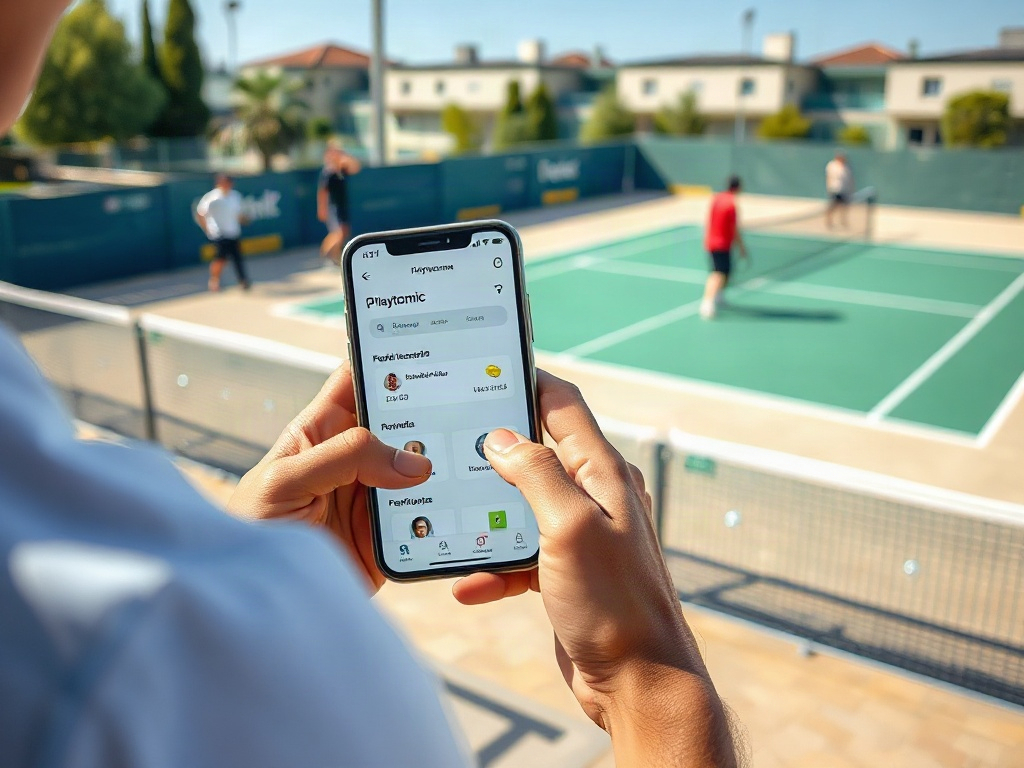
Padel has become one of the fastest-growing sports for players who want quick rallies, social competition, and a booking experience that does not feel like a chore. Playtomic sits right at the center of that experience by making it easier to discover courts, reserve a time, and invite other players without endless back-and-forth messages. If you have ever tried to organize a match by juggling group chats, venue calls, and payment reminders, you already know how much smoother a platform like this can feel. The process is simple once you understand the flow, but there are a few details that make the difference between a smooth booking and a frustrating one. This guide walks through the full process in a practical way so you can book with confidence and share your reservation without confusion. By the end, you will know how to move from searching for a court to getting everyone into the match.
What Playtomic Is and Why It’s Popular for Padel

Playtomic is a sports booking platform designed to help players find nearby venues, check availability, and secure courts from a phone or browser. For padel players, it is especially useful because it brings together court discovery, booking, and player coordination in one place. Instead of contacting several clubs or waiting for replies, users can see real-time availability and book in just a few taps. The platform also helps reduce uncertainty because the key information is usually displayed before payment, including time slots, court type, and price. That makes it attractive both for casual players and for people who organize regular matches. In practice, it shortens the time between “let’s play” and “we’re booked.”
Getting Started with Playtomic

Before booking a court, it helps to make sure your Playtomic account is set up properly and your profile is complete. A clean profile makes the process easier because it allows the platform to recognize you, store your bookings, and connect you with other players. You do not need to overcomplicate this step, but you should make sure your contact details are accurate and that your app is ready to use. If you plan to share reservations, this setup becomes even more important because invitations and booking updates depend on the account being active. A few minutes spent here can save time later when you are trying to confirm a match quickly. Once your account is ready, the actual booking flow becomes much more straightforward.
Signing up usually starts with an email address, phone number, or social login option depending on the device and region. After registration, Playtomic may ask you to verify your contact information so booking notifications and invitations can reach you properly. It is also smart to add a profile photo and basic details if the app asks for them, because that can make it easier for other players to recognize you. If the app offers preference settings, review them before you book so you know what reminders, match suggestions, or promotional messages you are receiving. Keeping your profile current is especially helpful if you intend to join open matches or coordinate with different groups. A well-prepared account makes the rest of the experience feel lighter and more organized.
How to Find a Padel Court on Playtomic
Finding a court is usually the easiest part, but it becomes even better when you know how to search efficiently. The platform lets you look for venues by location, date, time, and sport type so you can focus on padel only. This is useful whether you are searching near home, near work, or while traveling in a new city. Rather than browsing blindly, you can narrow the options until the results match your schedule and budget. That is especially useful during busy hours when courts can disappear quickly. A careful search saves time and increases the chance of getting the slot you actually want.
- Open the app or website and choose the padel booking section.
- Enter your desired location, city, or nearby area.
- Select the date and preferred time range for your match.
- Review the available venues and compare the listed options.
- Tap into a court listing to see more details before booking.
Filters are one of the most useful tools on Playtomic because they help you turn a long list of options into a manageable set of choices. You can usually narrow results by price, court type, distance, and availability, which is ideal if you have a fixed budget or a strict time window. Some players prefer indoor courts, while others care more about surface quality, lighting, or whether the venue offers doubles-friendly scheduling. If you are playing with a group, filter based on what matters most to the people coming along so there are no surprises later. The more specific your search, the less likely you are to waste time opening listings that do not fit. A good filter strategy often leads to a better booking than simply choosing the first available court.
How to Book a Padel Court
Once you find a court that fits your plan, the booking process is usually direct and fast. The important part is to check the slot, price, and venue rules before you finalize anything. Some venues show different rates depending on the time of day, and those details matter if you want to avoid unexpected costs. Before you confirm, make sure the court type and duration match your group’s needs because changes after payment can be limited. If you are booking on behalf of several players, double-check that the selected time works for everyone involved. A careful final review takes less time than fixing a mistake later.
To keep the process simple, think of booking in three moves: select, review, and confirm. First, choose the court and time slot that best fits your schedule. Second, review the booking summary to confirm the price, court details, and any extra notes from the venue. Third, complete the reservation and wait for the confirmation screen or message to appear. Once the booking is finished, save the confirmation details in case you need them later. If the app allows it, add the match to your calendar right away so you do not miss it.
| Booking Step | What to Check | Why It Matters |
|---|---|---|
| Select a court | Location, time, and court type | Ensures the booking fits your plans |
| Review details | Price, duration, and venue rules | Prevents mistakes before payment |
| Confirm payment | Payment method and confirmation message | Secures the reservation officially |
| Save booking info | Reservation number and timing | Makes check-in and sharing easier |
Payment options can vary by venue and region, but the app typically shows what is accepted before you finalize the reservation. Depending on the setup, you may pay in full at the time of booking or follow a venue-specific process that is clearly displayed in the app. After payment, you should receive confirmation inside the platform, and in many cases by email or notification as well. Always read the booking confirmation carefully because it may include check-in instructions, cancellation details, or court-specific notes. If anything looks unclear, check it immediately rather than assuming it will sort itself out later. A few seconds of review can prevent a lot of stress on match day.
How to Share a Reservation with Other Players
Sharing a reservation is one of the features that makes Playtomic especially useful for padel, because it removes the awkward part of organizing a group game. Instead of sending screenshots and hoping everyone understands the plan, you can invite players directly through the app. This keeps the match details in one place and makes it easier for others to join, confirm, or respond. It also helps if your group changes often, because the reservation can be shared without repeating all the details manually. For players who organize matches regularly, this can save a surprising amount of time. The result is a cleaner, faster way to get everyone on court.
- Open your confirmed reservation in the app.
- Look for the share, invite, or add players option.
- Choose how you want to send the invitation, such as through a link or in-app message.
- Select the contacts or players you want to invite.
- Confirm the invitation so they can join the reservation.
When you invite players through the app, the platform handles most of the coordination for you. In many cases, the invited players can see the reservation details, confirm their spot, or join the booking from the link or invite they receive. This is useful because it reduces misunderstandings about time, location, and payment expectations. If your group is split between regular partners and occasional players, the app makes it easier to keep everyone on the same page. You should still send a short message if your group prefers direct communication, especially if there are last-minute changes. Even so, the app remains the central place where the booking lives, which keeps the process organized.
Managing Your Reservation After Booking
After a reservation is made, you may still need to check the details, update something, or cancel if plans change. This is another reason it helps to keep everything inside the app rather than only in a group chat. Most booking systems allow you to view reservation details from your profile area, where you can review the time, venue, and any notes tied to the match. If the venue allows modifications, you may be able to adjust the booking directly from the reservation screen. Cancellation rules can vary, so it is worth reading them before you rely on them. Being aware of the policy early is much better than discovering a limitation when you are already running late.
- Check your booking details as soon as the confirmation arrives.
- Review the venue’s cancellation or change policy if your plans may shift.
- Keep your contact details updated so notifications reach you.
- Use the reservation page to manage changes rather than relying on memory.
- Save any important booking references in case you need support later.
Tips for a Smooth Booking Experience
The best booking experience usually comes from combining speed with a little preparation. Booking early can help during busy evenings or weekends when demand is high and courts disappear quickly. It also helps to know whether your preferred venue has indoor or outdoor courts, since weather and lighting can affect the quality of the match. If you are organizing a recurring game, consider setting a regular time so the booking becomes easier to plan. It is also wise to confirm player participation before payment if your group is the kind that changes plans frequently. The smoother your planning, the less likely the booking will turn into a last-minute scramble.
Another useful habit is to check the venue notes before you confirm, because small details can matter more than people expect. Some clubs have specific arrival times, equipment rules, or policies about late arrivals that are easy to miss if you rush. If the app offers reminders, turn them on so you do not forget the booking or miss a message from teammates. You can also keep a small checklist for your own use so every reservation follows the same simple routine. The more consistent your approach, the easier it becomes to book quickly and avoid errors. Over time, the process feels less like administration and more like part of your pre-match rhythm.
Conclusion
Booking a padel court on Playtomic is straightforward once you understand how the platform handles search, payment, and sharing. The real advantage is that everything stays connected in one place, which removes a lot of the friction that usually comes with organizing sport with other people. You can find a court, compare options, reserve a slot, and invite players without leaving the app. That makes Playtomic especially useful for both casual games and regular match groups. If you take a moment to set up your profile properly and review the reservation details carefully, the process becomes even smoother. In the end, the platform is designed to help you spend less time arranging the game and more time actually playing it.
Frequently Asked Questions
- How do I book a padel court on Playtomic?
Open the app, search for a court by location and time, select an available slot, review the booking details, complete payment, and confirm the reservation. - Can I share my Playtomic reservation with other players?
Yes, you can share the reservation through the app and invite other players to join your booking. - Do I need a Playtomic account to book a court?
In most cases, yes. You need an account to reserve courts and manage booking details properly. - Can I cancel or change my reservation after booking?
Often yes, but it depends on the venue’s policy and the booking rules shown in the app. - What should I do if I cannot find an available court?
Try adjusting the date, time, location, or filters to expand your search and see more options.